

Objective
Verify your Google Business Profile in 2026 to unlock local search visibility. This guide covers video, phone, and instant verification methods to ensure your business builds trust and reaches local customers.
- Record detailed video proof showing you have physical access to the business.
- Ensure your name, address, and phone number match exactly across the web.
- Leverage your Google Search Console account to attempt an instant verification .setup.
- Start engaging with customers by responding to reviews immediately after your approval.
- Keep your profile active with fresh photos and posts to maintain visibility.
Optimize your Google Business Profile with SEO Discovery starting at $250/month.
The process of making your business known on the internet begins with learning how to verify your Google Business listing. Your business profile stays hidden from potential customers who search for services that match your offerings until you complete the verification process. Business owners who operate single locations or multiple sites must learn the verification process because it directly impacts their ability to succeed in local SEO.
Did you know? Google Business Profile verification isn’t just about unlocking your ability to manage your business listing, it also plays a direct role in how your business appears and interacts with users across Google Search and Maps.
The complete verification guide presents all available verification methods, which will be accessible in 2026, to help you create your online identity with maximum speed and efficiency. Many companies also invest in best SEO services from SEO Discovery to ensure their profile ranks highly once verified. The guide explains all available verification methods, which begin with traditional postcard verification and end with instant phone and email processes.
Table Of Contents
- How Do I Know If My Google Business Is Verified
- How to Verify Google My Business Without Postcard
- How Can I Verify My Google Business By Phone
- How Long Does It Take Google to Verify My Business
- How Can I Verify My Business on Google
- Take Control of Your Online Presence Today
- FAQs About How to Verify My Google Business Profile in 2026
How Do I Know If My Google Business Is Verified
Understanding your verification status is the first step before taking any action. Google provides clear indicators that show whether your business profile has been successfully verified or still requires attention. If you are struggling with the dashboard, professional Local SEO Services can help navigate these initial technical steps.
Checking Your Verification Status:
- Log into your Google Business Profile account at business.google.com and select your business location from the dashboard
- Look for a verification badge or checkmark next to your business name, which indicates successful verification
- Check for any notification banners at the top of your dashboard that prompt you to complete verification
- Navigate to the “Info” section, where unverified businesses will display a prominent “Verify now” button or alert
- Review your business status in the Business Profile Manager app, which shows verification pending or complete
- Customers won’t see your business in Google Maps or local search results if verification is incomplete
- Your profile will have limited functionality until verified, preventing you from editing hours, adding photos, or responding to reviews
- To maintain a strong presence, utilizing a GMB Service is often the most effective way to manage these updates.
Signs Your Business Is Already Verified:
- You can edit all sections of your business information without restrictions
- Customer reviews appear on your profile, and you can respond to them
- Your business shows up when you search for it on Google Maps with accurate information
- You receive insights and analytics about how customers find and interact with your profile
- You can post updates, offers, and events directly to your business listing
- Your business appears in the “Local Pack” for relevant searches in your area
How to Verify Google My Business Without Postcard
Many business owners seek faster alternatives to the traditional postcard method, and Google now offers several options for businesses that qualify. Understanding when you can google my business verify without a postcard saves valuable time. This often requires professional Technical SEO Services to ensure your website and profile are correctly synchronized for Google’s crawlers.
Email Verification Method
The Email Verification Method is available for businesses that have already verified their website domain through Google Search Console. Log into your Google Business Profile, choose “Email” during verification, and check your registered business email for Google’s message. Click the link within 30 days to complete verification instantly.
Instant Verification Through Google Search Console
Businesses with verified ownership in Google Search Console may qualify for automatic instant verification. To stay ahead of shifting algorithms, some brands are now using AI SEO services to monitor these automated connections. If eligible, verification happens automatically when claiming your listing, making it the fastest method available.
Video Verification Option:
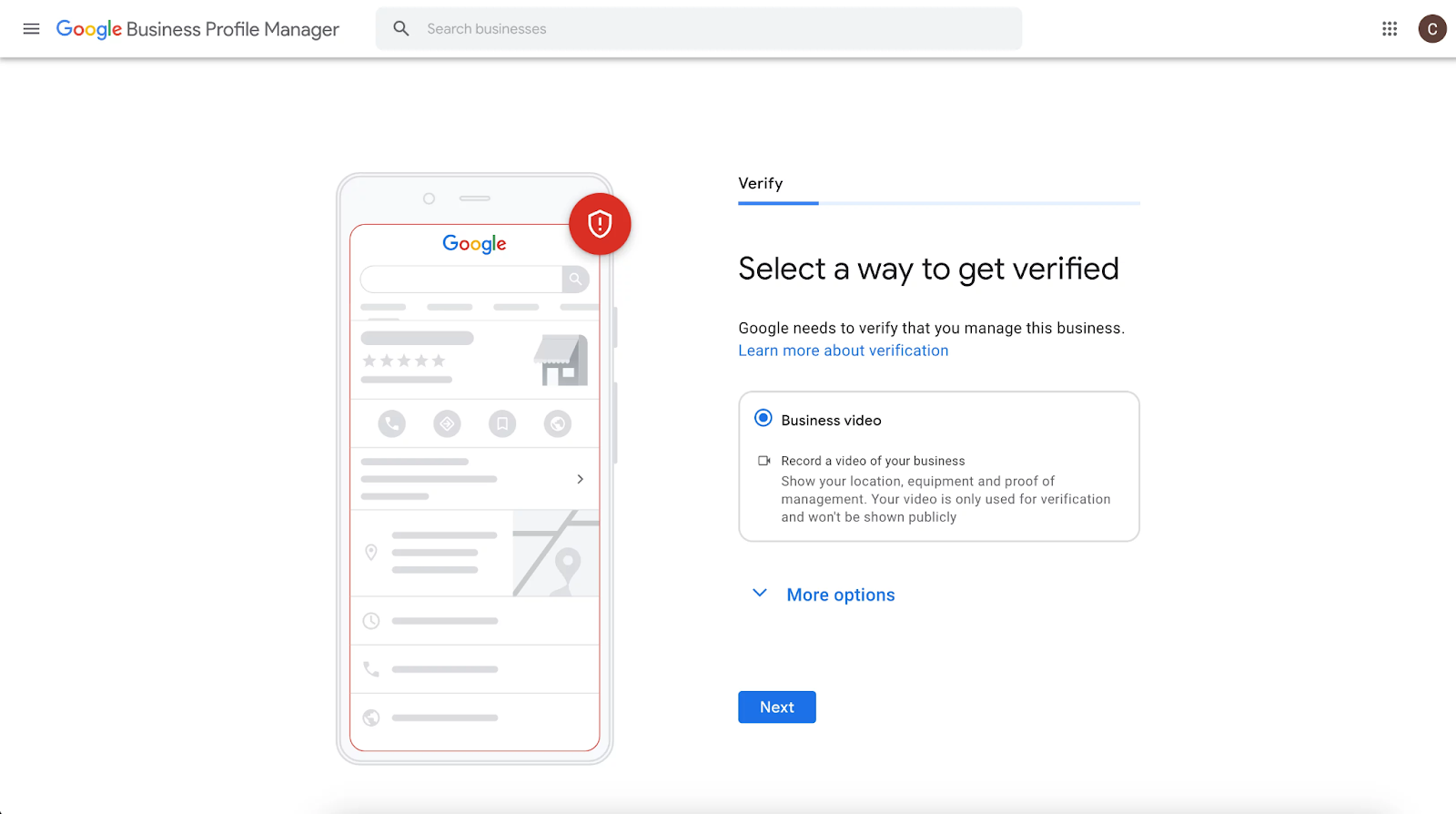
Some businesses, especially service-area operations or those without storefronts, may qualify for video verification. Record a clear, well-lit video tour showing signage, interior, and proof of operations, with narration. Follow Google’s guidelines for length and quality, then upload via your Business Profile dashboard. Reviews typically take 3–5 business days.
Bulk Verification for Multiple Locations
Businesses with 10 or more locations can apply for Google’s bulk verification program, which bypasses individual postcard verification and simplifies the process. By contacting Google Business Profile support and submitting proof of ownership for all locations, multi-location brands, and franchise owners can complete Google My Business verification more efficiently.
Boost Your Local Rankings
Partner with SEO Discovery to verify your profile faster and dominate local search results today.
How Can I Verify My Google Business By Phone
Phone verification offers one of the quickest paths to getting your business verified, though availability depends on your business category and location. When you verify your google business listing phone call, the process typically completes in minutes. To boost the authority of your phone-verified profile, many experts recommend high-quality Link building services from SEO Discovery to strengthen your overall digital footprint.
Eligibility for Phone Verification
Google decides phone verification based on your business type, location, and how complete your profile is. Retail shops, restaurants, and service businesses with a clear, public phone number usually qualify. The number must match the one on your website. The option appears only if your business meets Google’s rules. You cannot request it manually. When available, you can verify your Google My Business profile within minutes.
Steps to Verify Google My Business By Phone:
- Start the verification process from your Google Business Profile dashboard by clicking “Verify now.”
- Select “Phone” from the list of available verification methods if this option is displayed
- Confirm the business phone number where you’ll receive the verification call
- Ensure someone is available to answer the phone at your business during regular hours
- Click “Call now” to request an immediate automated verification call from Google
- Answer the incoming call and listen carefully for the 6-digit verification code
- The automated system will repeat the code twice—write it down accurately
- Enter the verification code into your Business Profile dashboard within the time limit
- Your business profile will be verified immediately upon entering the correct code
How Long Does It Take Google to Verify My Business
Understanding verification timelines helps you plan your business launch and set realistic expectations for when your profile will go live. Verification duration varies significantly based on the method you use and Google’s current processing times.
Postcard Verification Timeline:
Traditional postcard verification is the most common method, but it is also the slowest. Most businesses receive the postcard within 5–14 business days, while remote or international locations may wait up to 21 days. You must enter the code within 30 days. If it doesn’t arrive after 14 days, request a new one. After entering the code, activation usually takes another 24–48 hours, so plan for 2–3 weeks total.
Phone Verification Timeline:
Phone verification is almost instant when you verify my business with google using this method. The whole process usually takes just 5–10 minutes, from requesting the call to entering the verification code. Once you enter the code successfully, your business profile becomes active right away.
Email Verification Timeline:
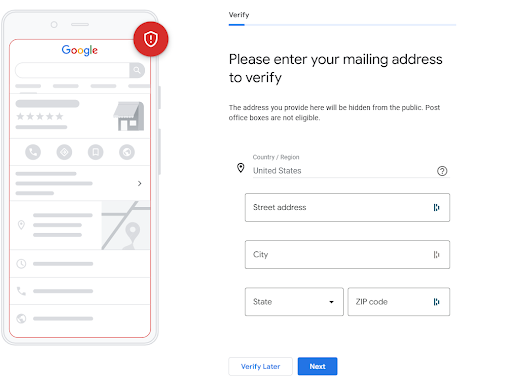
Email verification usually takes 15–30 minutes in most cases when you verify google business listing using this method. You’ll receive the verification email instantly after selecting this option. Once you click the link in the email, your business profile is verified right away. Full profile activation happens within minutes.
Video Verification Timeline:
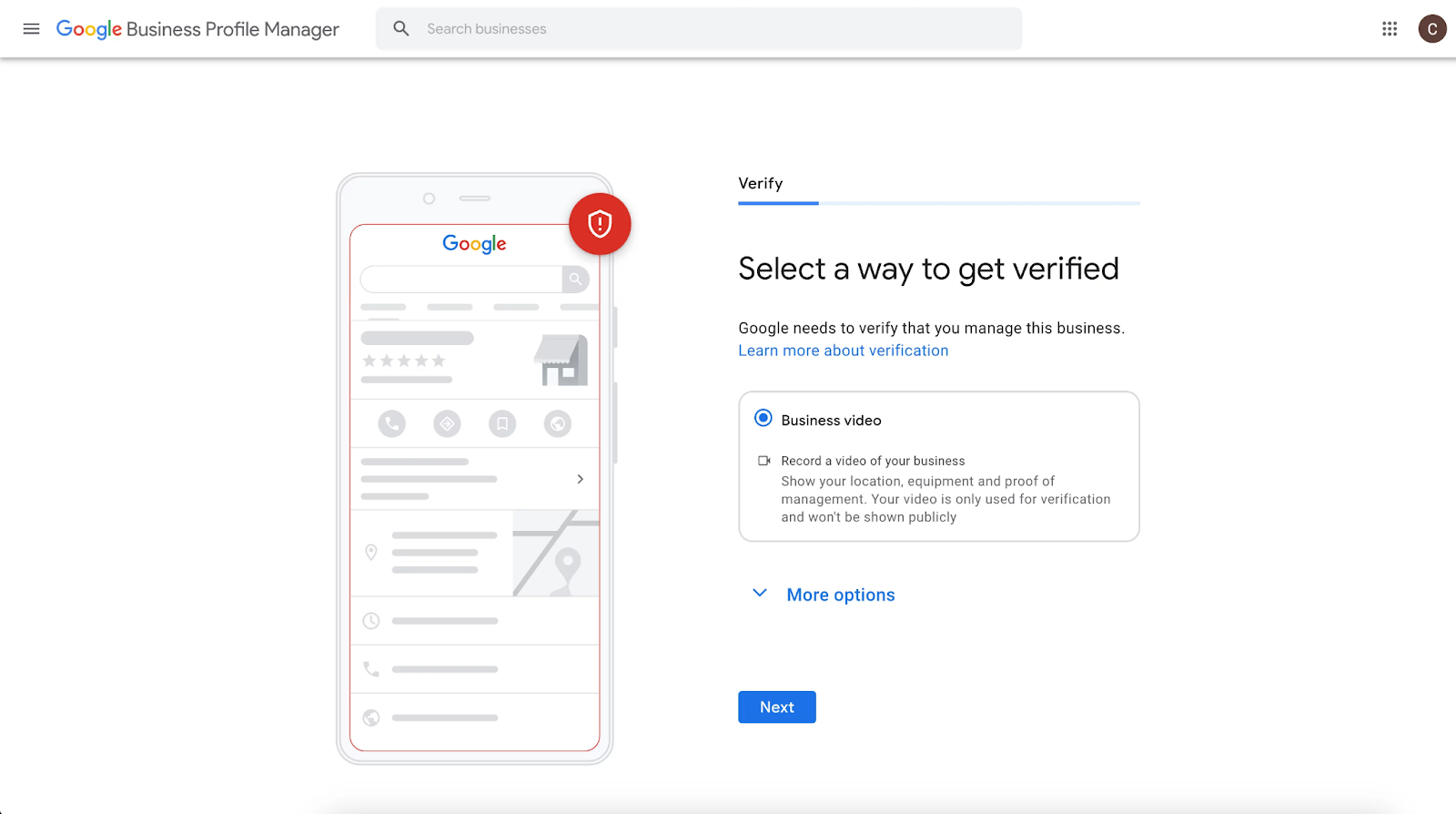
Video verification submissions are usually reviewed within 3–5 business days. Google’s team manually checks each video to confirm authenticity and business details. You will receive an email once your video is approved or rejected. If it is rejected, you must record and submit a new video fixing the mentioned issues.
Want To Verify Your Business?
Let SEO Discovery guide your Google Business Profile approval process today.
How Can I Verify My Business on Google
The complete verification process involves several key steps, regardless of which method you ultimately use. Understanding the full workflow helps you navigate the system efficiently and avoid common mistakes that delay verification.
Initial Setup Steps:
- Create or log in to your Google account that will manage your business profile permanently
- Search for your business name on Google to see if a profile already exists that needs claiming
- If a profile exists, click “Claim this business” or “Own this business?” to start the claiming process
- If no profile exists, go to business.google.com and click “Add your business to Google.”
- Enter your complete business name exactly as customers know it, without unnecessary keywords
- Select the correct business category that most accurately describes your primary service or product
- Choose whether you have a physical location customers can visit or if you’re a service-area business
- Add your complete physical address if you have a customer-facing location
Completing Your Business Information
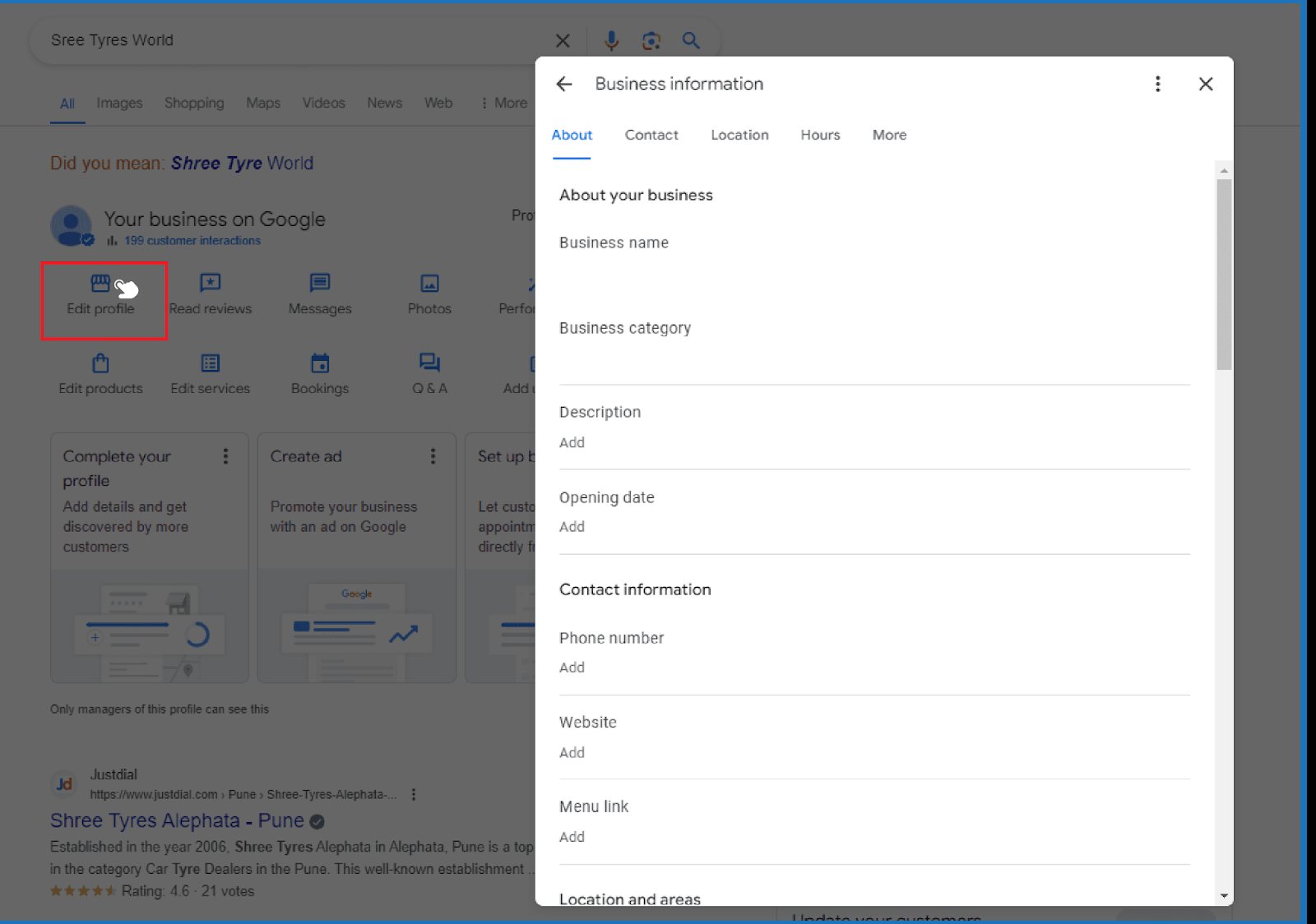
Complete your profile with accurate details that customers can trust. Add a working phone number, correct website URL, and updated business hours, including holiday changes. Write a clear description explaining what makes your business different.
Selecting Your Verification Method
After filling in your details, Google will show available verification options. You may see google my business verify by phone for quick approval. If not, choose postcard verification or email if your domain is verified. Some businesses may qualify for video verification.
Completing the Verification Process
Carefully follow the steps for your chosen method. For postcard verification, check your mail regularly. Enter the code exactly as received since they expire quickly. Complete everything within the allowed time so you can verify my business with google without delays or issues.
Post-Verification Actions
After verification, review your details to ensure accuracy. Turn on messaging to connect with customers faster. Monitor reviews and respond politely to build trust. Use profile insights to see how customers find you. Taking these steps after you verify my business with google helps improve visibility and attract more customers.
Take Control of Your Online Presence Today
Don’t let your competitors capture customers who should be finding you instead. Start your verification process today by logging into Google Business Profile and choosing the fastest method available to your business. Whether you verify your Google business listing through phone, email, or traditional postcard, every day you wait is another day potential customers can’t find you online.
Remember that verification unlocks powerful features like customer messaging, review management, and performance insights that drive real business growth.
Get premium services from SEO Discovery Today.
Strengthen Rankings After Verification
Once verified, enhance visibility with strategic optimization services designed to grow traffic, leads, and customer trust.
FAQs About How to Verify My Google Business Profile in 2026
Google needs between three and seven business days to complete most video reviews, while some reviews require extended time.
You can verify your business through video evidence, which shows your branded vehicles and professional tools, and administrative records.
If the postcard hasn’t arrived after 14 days, you should request a new code or contact support for alternatives.
Google provides phone verification services only to businesses that show they maintain high digital trust and operational consistency.
Google uses a pending status to indicate that it is either reviewing your video content or checking your information against their database.
Google requires businesses to have a physical address or predefined service territory because this requirement helps maintain business credibility while stopping spam activity.
Google Search Console verification enables websites to achieve instant verification results, which increases the chances of success.
Your business name changes, together with your physical address and business category changes, will result in automatic verification requirements.
The verification process remains entirely free, though some businesses hire agencies to manage the technical setup for them.
You need to resolve all policy violations on your profile before you can submit a reinstatement appeal to Google.