


Objective
This blog highlights how the “Add Me to Google Search” feature helps individuals create a Google People Card and improve online visibility. It also explains step-by-step instructions to build and optimize a professional search presence.
- “Add Me to Google Search” lets individuals create a Google People Card to improve personal visibility online.
- Google People Card acts as a virtual business card showing your name, profession, and links.
- Creating a People Card requires a Google account, a mobile device, and supported country eligibility.
- A well-optimized People Card helps build credibility, attract opportunities, and strengthen your personal brand.
- Updating your Google People Card regularly ensures accurate information and maintains a strong online presence.
Enhance Your Google Visibility with “Add Me to Google Search” Services by SEO Discovery, Starting at $250/Month.
“Add Me to Google Search” is a feature known as Google People Card. This lets individuals create a personal profile appearing directly in Google Search results when someone looks up their name.
Did You Know? According to a report by HubSpot, the number of yearly Google queries is in trillion, and the average person conducts 6.8 searches per day.
With that kind of traffic, having your name show up accurately and professionally on Google is essential. Whether you’re a freelancer looking for clients, a professional building credibility, or simply someone who wants to own their online identity, the “Add Me to Google Search” feature gives you a free tool to do exactly that.
From setting up your Google People Card to optimizing it for maximum visibility, this step-by-step guide walks you through everything. So, continue reading!
Table Of Contents
- What Does "Add Me to Google Search" Mean?
- Read the Instructions Carefully
- How to Create Your People Card on Google
- Why "Add Me to Search" is a Game-Changer for Personal Branding
- How We Helped a Local Shop Owner Improve Online Visibility with Google People Card and GMB
- Is GMB the Same as "Add Me to Google Search"?
- Build Your Online Presence with SEO Discovery!
- FAQs about Add Me to Google Search
What Does "Add Me to Google Search" Mean?
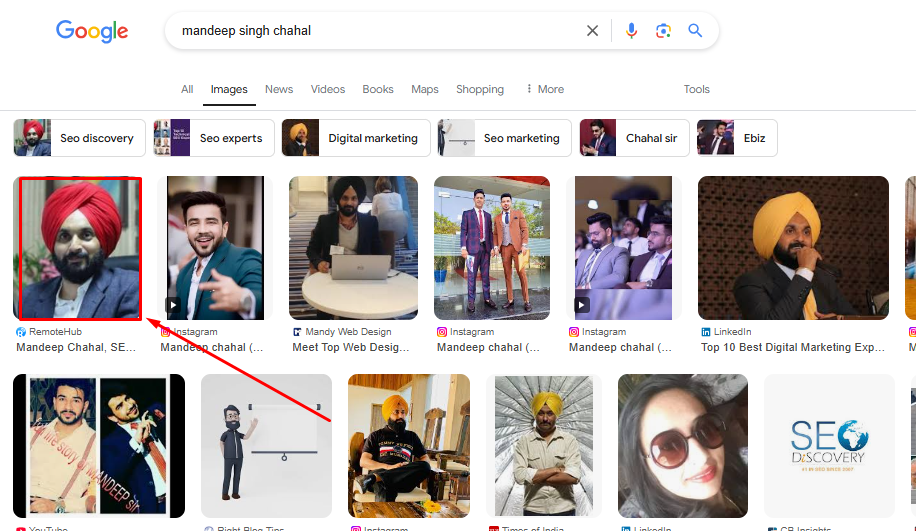
“Add Me to Google Search” allows people to create a simple virtual profile that shows up when someone searches for their name on Google. This feature, also known as a Google People Card, lets you add personal information to a Google search, such as your name, job, location, and links to your social media or website.
This functions as your virtual business card featured on Google Search when someone looks you up. It’s especially helpful if you’re a freelancer, student, or small business owner who wants to make it easy for others to find you online.
What Does "Add Me to Google Search" Mean?
Before creating your People Card, ensure all of the following requirements are met:
- You must be located in India, Kenya, Nigeria, or South Africa
- Your language must be set to English or Hindi
- You must be signed in to your personal Google account
- Your account’s Web & App Activity must be turned on
- You must be using a mobile device
- You may search using the Google app or google.com in a browser
- Search for yourself, or search “add me to Google.”
If all the above criteria are met, you should see the option to add yourself to Google Search at the top of the search results.
How to Create Your People Card on Google
Log into Your Google Account: Open Google Search on your mobile phone. Make sure you’re logged into your Google account, as People Cards are only available for logged-in users.
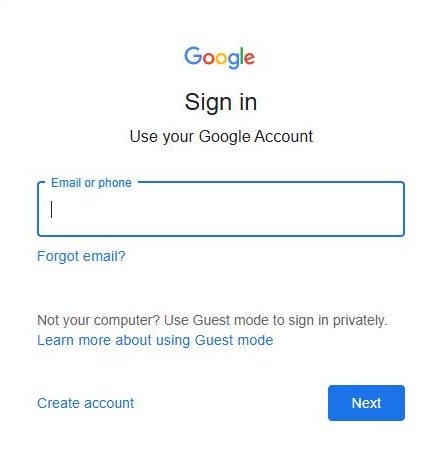
Search “Add Me to Search”: In the Google Search bar, type “Add me to Google Search” and hit enter. This step will allow you to create a Google profile for People Card.
Start Filling Out Your Information:
- You’ll see fields to fill in, such as your name, location, occupation, and a short bio about yourself.
- Add only the information you want others to see in search results. For example, you can list your profession, job title, or area of expertise.
- You can also add details like your phone number, email address, website, and links to your social media profiles. (Only share contact info if you’re comfortable making it public!)
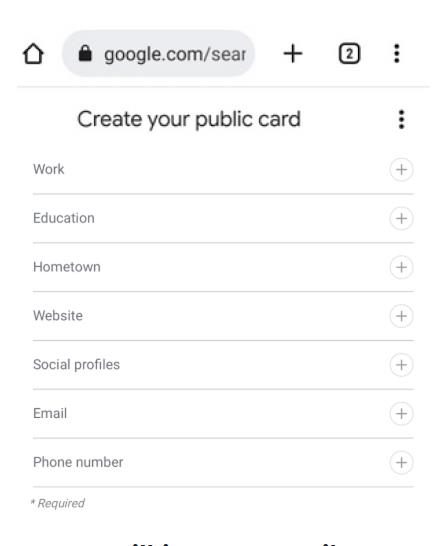
Preview Your Card: Once you’ve entered your details, select “Preview” to see how your people card will look in search results. This allows you to check for any errors and ensure the information is accurate.
Save and Submit: After reviewing, select “Save” to publish your People Card. It may take a little time for it to appear in Google Search results.
Update as Needed: You can edit your People Card anytime by following the same steps. Regular updates can help you keep your card fresh and ensure that others see the latest information about you.
Build Your Personal Brand with Google People Cards!
Let our experts set up and optimize your Google profile for maximum search visibility.
Why "Add Me to Search" on Google is a Game-Changer for Personal Branding
“Add Me to Search” on Google is a powerful tool for personal branding because it allows you to have more control and visibility over your online presence. Below, we explore the key reasons why it’s such a game-changer:
1. Boost Your Visibility
When someone searches your name, your profile appears at the top. Adding personal information to Google searches helps people find you easily. This visibility is essential for creating a strong online presence.
2. Control Your Image
With a Google search profile setup, you decide what people see about you. Managing personal info on Google ensures that your profile looks professional and reflects your brand.
3. Attract Opportunities
Whether you’re using Google My Business or your personal profile, It becomes easier for clients, employers, or collaborators to connect with you.
4. Show Your Expertise
Linking to your portfolio or a Google knowledge panel helps you showcase your skills, build trust, and position yourself as an expert in your field.
5. Connect All Your Content
Link all your platforms like LinkedIn, Instagram, or a personal website, so people see the full picture of who you are and what you do.
6. Build Trust
A strong Google search visibility adds credibility. It shows a consistent and professional presence, making it easier for people to trust and work with you.
7. Manage Your Reputation
By learning how to get listed on Google search, you can highlight your achievements and control what appears online. This helps you improve Google search rankings and maintain a positive image.
8. Simplify Networking
When you claim a Google search profile, it’s easier for people to find and connect with you. Whether you’re looking for collaborations or clients, your search engine optimization for your profile makes all the difference.
Stand Out in Google Search Results!
Create a well-optimized People Card and make it easier for clients and employers to find you.
How We Helped a Local Shop Owner Improve Online Visibility with Google People Card and GMB
A local electronics shop owner was confused between a Google People Card and a Google Business Profile (formerly Google My Business). He created a People Card, expecting his store to appear on Google Maps and attract nearby customers. However, the People Card only showed his personal profile and did not display his shop location or business details in local searches.
Our team at SEO Discovery reviewed his setup and identified the issue. We optimized both his Google People Card and his Google Business Profile with accurate business information, location details, and links. Within weeks, his shop began appearing in local searches and Maps, improving online discovery and increasing foot traffic.
Is GMB the Same as "Add Me to Google Search"?
No, GMB (Google My Business)
and “Add Me to Google Search” are not the same, but they are related.
GMB is a tool that allows businesses to create and manage their business profiles on Google. These profiles appear in Google Search results and on Google Maps, helping customers find important information like business hours, location, and contact details.
“Add Me to Google Search,” on the other hand, is a feature that allows individuals to add their personal profile to Google’s search index, making them visible as a person, not just a business.
In short, GMB helps manage your business profile, while “Add Me to Google Search” ensures your personal profile shows up in Google searches. Both are useful, but they serve different purposes.
Build Your Online Presence with SEO Discovery!
Adding yourself to Google Search through the Google People Card is one of the easiest ways to strengthen your digital identity. When people search for your name, a well-created profile helps them find accurate information about you instantly. This simple step can improve credibility, make networking easier, and help you stand out in a crowded online world.
Get ready to improve your online visibility and take control of your search presence. Partner with SEO Discovery today and start building a stronger digital presence that attracts the right opportunities.
Own Your Search Presence on Google!
Partner with SEO Discovery and optimize your People Card for better credibility and reach.
FAQs about Add Me to Google Search
“Add Me to Google Search” is a feature that allows individuals to create a personal profile called a Google People Card. This card appears in Google Search results when someone searches for your name, helping improve visibility and personal branding.
A Google People Card is like a digital visiting card that appears in Google Search. It allows you to display your name, profession, location, short bio, and social links so people can easily learn about you online.
Yes, a Google account is required to create a People Card. The card is directly connected to your Google account, ensuring authenticity and allowing you to manage, update, or edit your personal information anytime.
Google People Cards are mainly designed for mobile users. You typically need to use a mobile device and search “Add me to Google Search” through the Google app or a mobile browser.
You can add details such as your name, job title, location, short biography, website link, email address, phone number, and social media profiles. This information helps people easily find and connect with you online.
Yes, Google allows you to update your People Card whenever needed. You can search “Add me to Google Search,” open your existing card, and edit the information to keep your profile accurate.
No, Google My Business focuses on creating business profiles that appear in Google Search and Maps. “Add Me to Google Search” is designed for individuals who want their personal profile visible online.
Creating a Google People Card helps improve your online presence and credibility. It makes it easier for employers, clients, and collaborators to find accurate information about you directly through Google Search.