


Objective
This blog highlights practical and advanced strategies to optimize Shopify store speed in 2026 using Core Web Vitals, image compression, app audits, and technical improvements. It helps store owners improve rankings, user experience, and conversions through structured Shopify speed optimization.
- In 2026, Core Web Vitals are a confirmed ranking factor. A slow store is less visible on Google, has higher bounce rates, and makes it harder to convert, especially on mobile devices.
- By changing pictures to WebP, compressing files, resizing correctly, and turning on lazy loading, you can cut page weight by up to 60–70%, which makes load time much faster.
- Scripts are put into every Shopify app. Regular app checks, getting rid of apps that aren’t being used, and limiting third-party scripts all make the store run much faster.
- To meet Google’s speed standards, you must optimize hero pictures, set image dimensions, cut down on layout shifts, and delay heavy JavaScript.
- Your mobile speed score is the most important because Google indexes mobile devices first. For growth, you need responsive images, improved tap targets, and scripts that only run on desktop computers.
Optimize Your Shopify Store Speed with SEO Discovery, Starting at $60.
To optimize Shopify store speed in 2026, focus on improving Core Web Vitals, compressing images, reducing apps, deferring scripts, and using lightweight themes. A faster store improves rankings, user experience, and conversions.
Did you know? According to a Shopify Study, 70% of consumers admit that a slow-loading website impacts their willingness to buy from an online retailer.
This means that Shopify speed optimization is no longer optional. It makes a difference between a thriving store and an abandoned one. Whether you run a small boutique or a large eCommerce brand, this guide will show you exactly how to optimize Shopify store speed and generate more conversions. So, read till the end!
Table Of Contents
- Why Shopify Speed Optimization Matters
- How to Measure Your Shopify Store Speed
- How to Optimize Your Shopify Store Speed
- Advanced Technical Fixes for Shopify Store Speed Optimization
- How We Helped a Client Go from a 7 to 92 PageSpeed Score in One Month
- When to Hire a Shopify Store Speed Optimization Service
- Improve Your Shopify Store Speed with SEO Discovery!
- FAQs about Shopify Store Speed Optimization in 2026
Why Shopify Speed Optimization Matters
Shopify speed optimization has a direct effect on your long-term growth, visibility, and conversions in 2026. Google gives fast, easy-to-use websites more priority through Core Web Vitals, which means that speed is a real ranking factor. Not only does a slow store hurt SEO, but it also damages trust, the user experience, and the store’s ability to make money, especially in mobile-first shopping environments.
Here is what slow speed actually costs you:
- Lower Google rankings: Poor Shopify speed optimization hurts Core Web Vitals performance, making your store less visible in search results and pushing it behind faster competition.
- Higher bounce rates: Pages that take too long to load make users frustrated, which raises the bounce rate and hurts sales, even if the product or marketing is good.
- Lost revenue: Even milliseconds matter; poor Shopify speed optimization lowers the number of people who finish the checkout process. This has a direct effect on total sales performance.
- Poor mobile experience: Without proper mobile optimization, mobile users will have to wait, which will hurt your results in Google’s mobile-first indexing approach.
How to Measure Your Shopify Store Speed
Before you start Shopify speed optimization, check how well your store is doing with Google PageSpeed Insights, Shopify’s built-in speed report, and GTmetrix. These tools analyze Core Web Vitals, load times, and resource requests to help you find speed problems, scripts that are too heavy, and bottlenecks that are hurting the user experience.
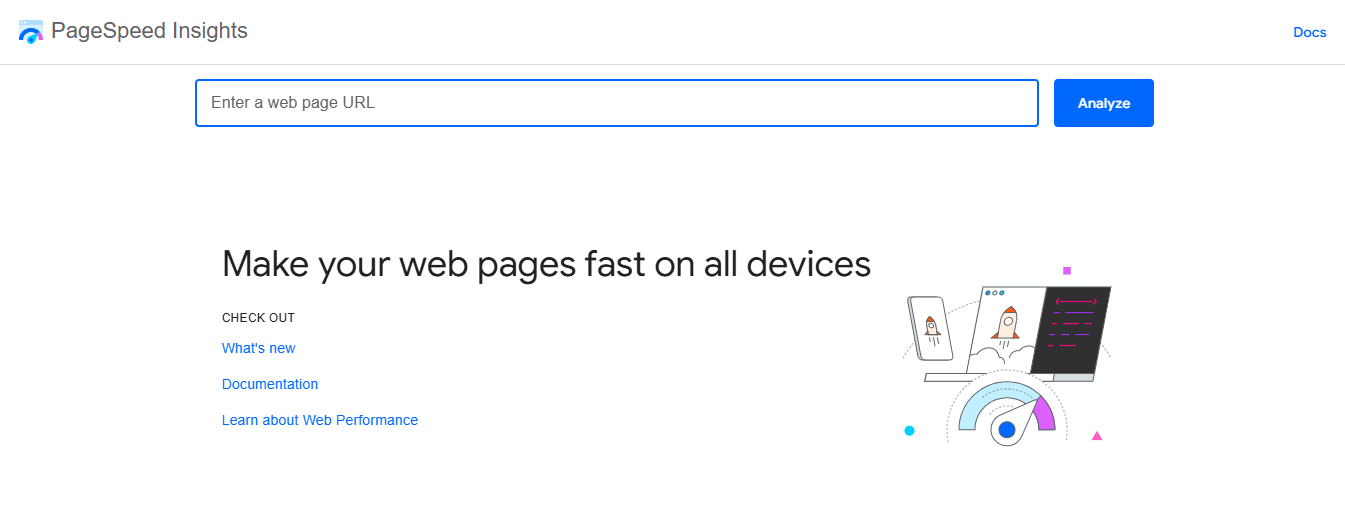
Google PageSpeed Insights for Core Web Vitals Analysis
Type in the URL of your store at pagespeed.web.dev. You will get scores for mobile and desktop, as well as information about the Core Web Vitals (LCP, CLS, and INP).
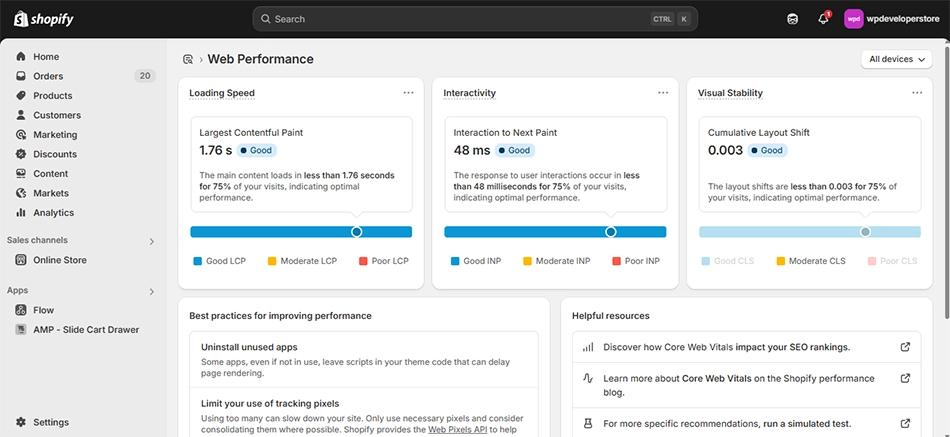
Shopify’s Built-In Speed Report
Inside your Shopify admin, go to Online Store > Themes > Speed. This shows how fast your store is compared to other similar stores on the platform.
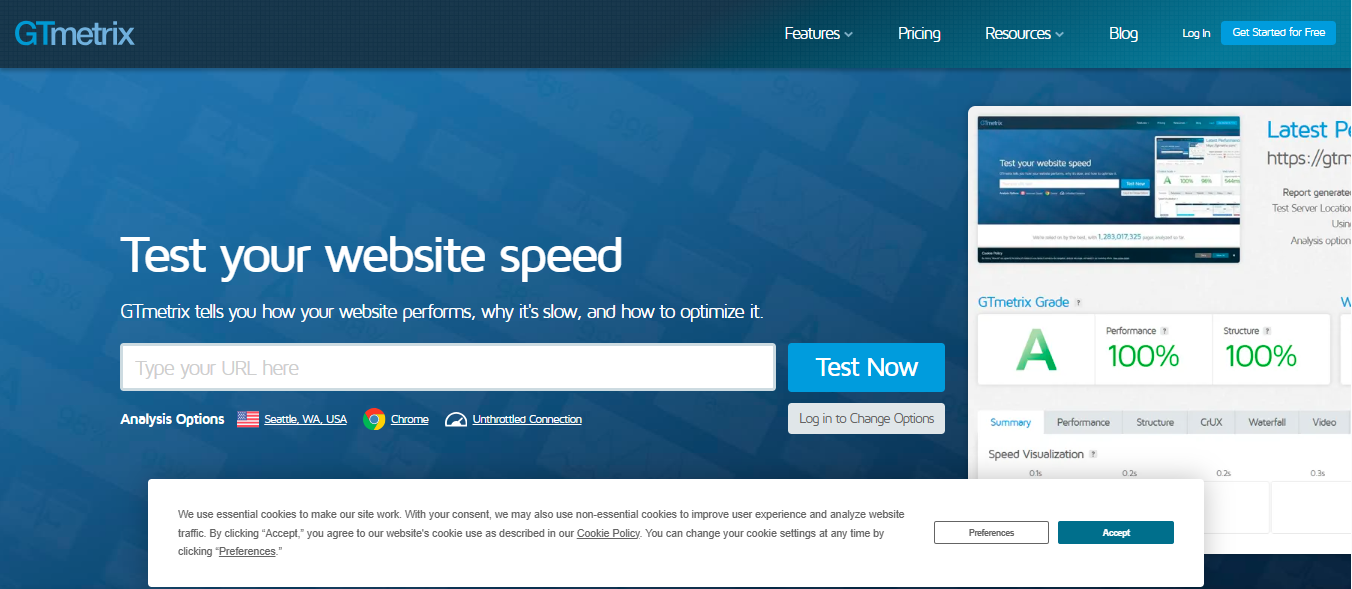
GTmetrix for Waterfall Analysis
GTmetrix shows you a waterfall chart that shows how long it takes for each page resource to load. It can help you find large images, scripts that stop rendering, and third-party apps that run slowly.
Speed Benchmark: What Score Should You Aim For?
Score Range | Rating | Action Needed |
90 – 100 | Good (Green) | Maintain and monitor regularly |
50 – 89 | Needs Improvement (Orange) | Apply quick wins and technical fixes |
0 – 49 | Poor (Red) | Urgent optimization or hire a specialist |
Make Your Shopify Store’s Speed Faster!
Partner with SEO Discovery, fix your page speed, reduce bounce rates, and recover lost revenue.
How to Optimize Your Shopify Store Speed
Optimizing the speed of your Shopify store is crucial in 2026 to stand out in the market. Improve Core Web Vitals, make the user experience better, improve your search ranks, and get more sales by making smart technical and SEO changes.
1. Optimize Images for Faster Shopify Page Speed
Images make up about 60%-80% of a webpage’s total weight. There is only a single bigger win you can get. Here is exactly what to do:
- Change the to WebP format: WebP pictures are 25–34% smaller than JPEG and PNG images, but you can’t tell the difference in quality.
- Compress before uploading: To shrink files without losing quality, use tools like Squoosh or TinyPNG.
- Let pictures load slowly: Only load images when people scroll to them. This is built right into Shopify themes.
- Use the right image size: Don’t upload a 2000px image for a 400px thumbnail. Fix the size of every image.
- Use Shopify’s image CDN: Shopify automatically serves images via its global CDN. Use liquid filters to specify dimensions.
If your homepage banner is 1.5MB in PNG format, it can be reduced to less than 400KB by changing it to Webp.
2. Choose a Lightweight Shopify Theme for Faster Load Times
Shopify website speed optimization starts with your theme. A lot of popular themes have a lot of extra functions that you never use. Look for themes that were made with performance-first architecture.
Here is exactly what to look for:
- Minimal third-party scripts built in: Don’t choose themes that come with a lot of sliders, popups, and heavy app interactions by default.
- Lazy loading built into theme code: A good theme should only load images and sections when users move.
- Optimized for mobile-first experience: Most shoppers browse on their phones. Choose a theme that works well on mobile performance with clean code and responsive layouts.
- High PageSpeed Insights scores in demos: You should always test the sample URL in Google PageSpeed Insights before buying the theme.
During page speed optimization, focus on performance, look at themes like Dawn (Shopify’s free default theme) or Prestige and Booster. Before you buy a theme, you should always use PageSpeed Insights to test the sample URL.
3. Audit and Remove Unnecessary Shopify Apps
Scripts are added to your shop by every Shopify app you install. This is one of the most overlooked causes of slow stores.
How to safely audit your apps:
- List every installed app: Go through your Shopify website and figure out which apps you actually use.
- Measure performance impact: Temporarily disable apps one by one and test your store using Google PageSpeed Insights.
- Uninstall unused apps completely: Turning an app off isn’t enough. Remove all of its files to get rid of scripts in your store. Some apps may leave behind code, so if you need to, check your theme files again.
- Replace multiple apps with one solution: If you have different apps for reviews, upsells, and pop-ups, you might want to switch to a single, lightweight app that can do all of these things. Fewer apps mean less code.
- Monitor script loading: Use Shopify’s Theme Inspector for Chrome to find out which apps are adding scripts that are slowing down certain pages.
You can use Shopify’s Theme Inspector for Chrome to find out which apps are adding scripts to your pages.
4. Fix Core Web Vitals: LCP, CLS, and INP
Core Web Vitals are the most important measures for Shopify page speed optimization. Here is what each one means and how to fix it:
LCP (Largest Contentful Paint): LCP checks how quickly your main content loads. Always aim for less than 2.5 seconds.
- Preload your hero image with a <link rel=’preload’> tag in your theme’s layout file.
- Move your hero picture above the fold and make sure it loads first.
- Use Shopify’s CDN to serve it from the computer that is closest to you.
CLS (Cumulative Layout Shift): CLS measures visual stability, target: under 0.1.
- Always specify width and height attributes on all images
- Avoid injecting content above existing content with banners or apps.
- When you embed video, use CSS aspect-ratio.
INP (Interaction to Next Paint): INP replaced FID in 2024. It measures responsiveness, target: under 200ms.
- Minimize heavy JavaScript execution on interaction.
- Break up long JavaScript tasks into small chunks.
- Defer non-crucial third-party scripts
5. Prioritize Mobile-First Speed Optimization
Because Google indexes mobile sites first, your mobile site score is what determines your results. When optimizing the speed of a Shopify business, mobile performance must come first.
Here is exactly what to do:
- Test on real mobile devices: Do not rely only on desktop simulations. Open your store on real Android and iOS phones to see how fast it loads, how smoothly it scrolls, and how easy it is to use.
- Use responsive images: To serve pictures that are the right size for each screen width, use Shopify’s img_url filter and srcset attributes. This cuts down on mobile internet use and speeds up load times.
- Optimize tap targets: Shopify SEO services make sure that the buttons are big enough and spaced out correctly. It’s harder to use and enjoy your phone when the buttons are small or close together.
- Remove desktop-only scripts on mobile: Some sliders, animations, or heavy features are not necessary for mobile users. Mobile users don’t need certain buttons, animations, or heavy features. Don’t let those scripts load on smaller computers.
Rankings, user experience, and sales all go up when you put mobile efficiency first. Now, mobile-first optimization is not a choice; it is necessary for Shopify’s long-term growth.
Performance Problems? Let’s Fix Them Fast!
Upgrade your Shopify speed and deliver a smooth shopping journey.
Advanced Technical Fixes for Shopify Store Speed Optimization
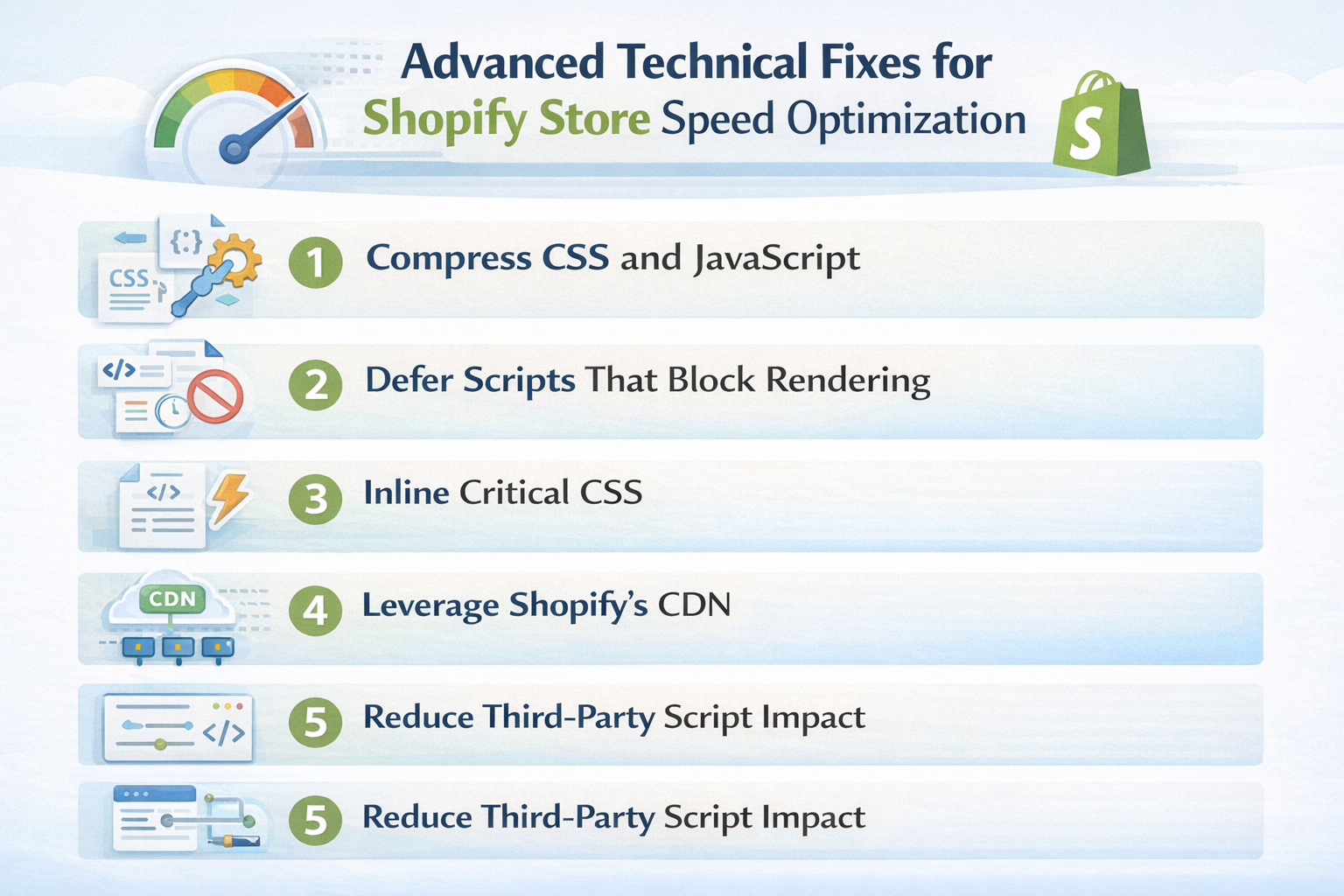
When you get to the technical side of Shopify speed optimization, you can do a lot. The following are the most important advanced fixes:
- Compress CSS and JavaScript: When you publish your theme, Shopify will automatically compress assets. Custom code added by apps or style changes, on the other hand, can’t be compressed. To get rid of extra code, use online compressors or the theme editor.
- Defer Scripts That Block Rendering: Add the defer or async property to your theme’s non-essential JavaScript tags. This tells the browser to keep loading the page while the script downloads.
- Inline Critical CSS: The styling needed to show text above the fold is called critical CSS. One render-blocking request is taken away when you inline it in your HTML. This is an advanced change that should only be made by a worker.
- Leverage Shopify’s CDN: All of your files are stored on a global CDN by Shopify. It is important that all of your images, fonts, and files are shared through Shopify and referred to using Shopify asset URLs instead of hosting them somewhere else.
5. Reduce Third-Party Script Impact: The best digital marketing services will audit all of your third-party scripts, like ad pixels, chat widgets, and stats. You can load them with async or defer. You could use Google Tag Manager to combine them into a single script call.
How We Helped a Client Go from a 7 to 92 PageSpeed Score in One Month
One of our client’s Shopify store was virtually invisible on mobile search, and their desktop experience was even worse. With a mobile PageSpeed score of just 26 and a desktop score of only 7, their site was drifting away from potential clients.
With a structured Shopify speed optimization strategy, including WebP image conversion, render-blocking, and mobile-first performance fixes, we turned their numbers around completely within a single month.
Results (Post-Optimization):
- Mobile Performance score jumped from 26 to 80, showing a 3x improvement in mobile load speed
- Desktop Performance score surged from 7 to 92, eliminating a critical ranking liability
- Best Practices score improved from 69 to 92 on both mobile and desktop
- SEO score maintained a perfect 100 throughout, now backed by the performance to match
- Significant reduction in render-blocking resources and unused JavaScript
- Core Web Vitals fell within Google’s “Good” threshold across LCP, CLS, and INP
- Store now fully optimized for Google’s mobile-first indexing, improving organic visibility nationwide
When to Hire a Shopify Store Speed Optimization Service
The technical side of things can get too hard for a store owner to handle by themselves. A professional Shopify speed optimization service makes sense when:
- PageSpeed score is below 50: If manual fixes are not improving performance, deeper code-level optimization may be required.
- Use a custom theme: Advanced features, custom Liquid code, and third-party interfaces can slow things down in ways you might not expect.
- Too many apps in the store: If you don’t have technical expertise, getting rid of scripts and fixing app issues can feel risky.
- Preparing for high-traffic events: Sales like Black Friday require top-notch work. Stores that are slow lose revenue right away.
- Need a complete performance audit: Professionals can give you structured solutions. Technical SEO services can do a thorough analysis of Core Web Vitals, SEO structure, and technical performance.
A reputable Shopify speed optimization service will do a full audit, fix any problems with Core Web Vitals, get rid of unnecessary apps, and give you a much faster store within days.
Improve Your Shopify Store Speed with SEO Discovery!
Now, speed is a must. To be successful in 2026, this is your most competitive advantage. Every second you cut off your load time will directly lead to higher sales, better Google rankings, lower bounce rates, and higher revenue.
Are you ready to make your Shopify store rank higher and load faster? Work with SEO Discovery to get a full audit and implementation of Shopify shop speed optimization. Our skilled professionals use Page Speed optimization, EEAT Signals alignment, and proven speed optimization services to get real outcomes.
Don’t let a slow store stop you from making money. Contact SEO Discovery today and start turning speed into sales.
Losing Sales Due to Slow Load Speed?
Get a free performance audit, fix your Core Web Vitals, and start turning clicks into customers today.
FAQs about Shopify Store Speed Optimization in 2026
There are clear answers to common questions about how to speed up a Shopify site that cover performance, Core Web Vitals, mobile speed, apps, styles, and services.
As of 2026, a good Shopify speed score for mobile is above 70, and a good Shopify speed score for PC is above 90. Google’s mobile-first search makes mobile more important. Always put improving Core Web Vitals and overall performance numbers at the top of your list.
Google PageSpeed Insights, GTmetrix, or Lighthouse are all tools you can use to test your store. Shopify also has a built-in speed report that you can find in your admin panel under Online Store > Themes > Speed. This report compares your store’s performance to that of other Shopify stores that are similar to yours.
Shopify has a global content delivery network (CDN), automatic picture compression, and hosting infrastructure that is optimized. But it doesn’t fix problems with theme code, big apps, or scripts that stop rendering on its own. Advanced Shopify website speed optimization still needs changes to be made by hand or help from a professional.
There is no hard and fast rule, but having fewer apps will make things run faster. Keep less than 10 apps open at all times. Check them often to see how the script load affects them. Get rid of all useless apps so that leftover code doesn’t slow down your store.
Some common reasons are pictures that are too big, too many apps injecting scripts, heavy themes, too many animations, JavaScript that blocks rendering, fonts that aren’t optimized, and videos that play automatically. Poor mobile optimization and third-party features that aren’t being used also make Shopify website speed optimization much less useful.
It can take a few hours to do simple fixes like shrinking pictures or getting rid of apps. For more complicated shops, it could take days or even weeks to make advanced changes like fixing Core Web Vitals, making Liquid code run faster, and reorganizing scripts.
Yes. Core Web Vitals are used by Google to decide how to rank sites. A faster Shopify store makes the experience better for users, lowers the bounce rate, boosts engagement, and raises organic results. Traffic, sight, and conversion rates are all affected by speed in a direct way.
WebP is the best way to save pictures on Shopify in 2026. It keeps the quality of the image while compressing it better than JPEG and PNG. Smaller picture sizes make it faster for pages to load and work better on mobile devices. They also help with Shopify website speed optimization in general.
If your PageSpeed score is less than 50, your theme has been highly customized, or you are getting ready for a sale with a lot of traffic, you should hire professionals. Core Web Vitals problems can be fixed quickly by experts, who can also get rid of bottlenecks and make stores run faster.
The global CDN for Shopify stores and sends your images, scripts, and other assets from the servers that are closest to each user. This cuts down on delay, speeds up loading times around the world, and makes sure that customers get the same experience no matter where they are.