


Objective
The objective of this blog is to explain the difference between searching on Google and typing a URL, helping readers browse smarter, faster, and safer with practical tips and insights.
When you open a web browser, you are often faced with two simple choices: search Google or type a URL. Both seem to lead you to the same result—finding the website you want. However, the way they work is a little different, and the method you choose can affect your browsing speed, accuracy, and overall experience.
Did you know? Over 92% of all online searches worldwide are done through Google, making it the most trusted starting point for users who aren’t sure of a website’s exact address.
For many people, searching on Google feels like the safer and easier option. Even if you don’t know the exact website address, Google’s search results will give you multiple options, suggestions, and related links. This makes it perfect for exploring new information or when you are unsure about the spelling of a website.
On the other hand, typing a URL directly into the address bar is much faster when you know exactly where you want to go.
In this blog, we’ll compare both methods and help you decide which is best for your needs.
Key Takeaways
- Search when exploring – Use Google search if you don’t know the exact site or want related options.
- Type a URL for speed – Entering a website address directly is quicker and avoids distractions.
- Both work in one bar – Modern browsers combine search and URL entry into a single, convenient address bar.
- Customize your browsing – Personalize settings and use shortcuts to make browsing safer and smarter.
Table Of Contents
- Understanding the Basics: What Does It Mean?
- Why Do We See “Search Google or Type a URL”?
- The User’s Perspective: Searching vs Typing
- Customizing the Browser Experience
- Hacks and Shortcuts for Better Browsing
- Pros and Cons of Searching Google
- Pros and Cons of Typing a URL
- When to Use Each Option
- Google Search vs. Type a URL: A Side-by-Side Comparison
- Search or Type a URL – What’s Best for You?
- FAQs About Search Google or Type a URL: Which is Best?
Understanding the Basics: What Does It Mean?
It can be confusing when you hear the words search google.com or enter a URL in a browser. All this message tells you is that you can use your address bar to either search on Google/browser or you can just go ahead and type in a particular web address.
To a beginner, this can create the following question: what is the search google or type a url meaning? The first one involves putting in some keywords (such as the “best SEO agency near me”) and allowing Google to display the results or you can just enter a particular site address (such as “seodiscovery.com”) and be redirected to the site.
Current browsers are a combination of both features in a single bar, so you can always select whichever method suits you at that particular time.
Why Do We See “Search Google or Type a URL”?
The phrase has been observed by many individuals as they browse, in some cases it is referred to as a google q search or type a url or q search or type a url. It is not a mistake, it is just the default of the browsers: Chrome, Safari or Edge.
As soon as you begin typing, the browser is waiting to make sense of whatever you type. When you type a phrase it will automatically send you to a search engine google or a url search engine. When you type the complete domain name it redirects you to that site. That is why it is sometimes called google search or write a URL.
This two-way feature saves time, particularly because most users combine both habits at times search and other times type.
The User’s Perspective: Searching vs Typing
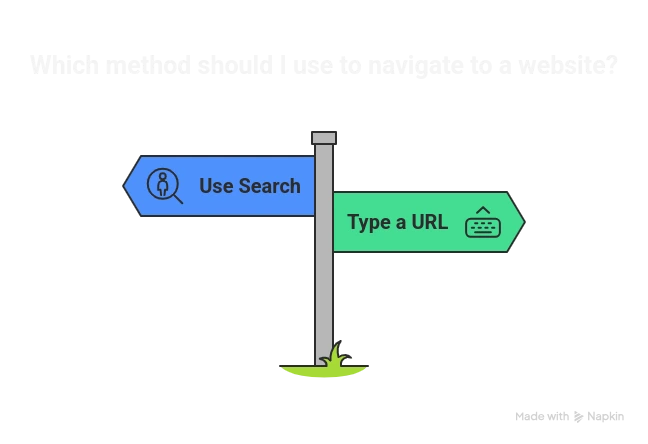
Imagine you want to visit YouTube. You have two choices:
- Type “YouTube” into the bar and let it perform a search google com or type a url action, showing you a list of results.
- Or, type www.youtube.com directly, which is a search google type a url action that bypasses the search engine.
While both methods lead to the same place, the second is quicker. However, the first may give you related results like “YouTube Music” or “YouTube Kids,” which can be useful.
This is the essence of google search or type a url — convenience and flexibility.
Customizing the Browser Experience
How to delete search google or type a URL is one of the questions that users frequently ask. The answer to that is in the short term, you can never fully eliminate it but you can customize it. Browsers such as Chrome will give you the option to customize the search engine or alter the settings to make it more personal.
As an example, you can set Bing or Yahoo instead of Google. Likewise, you are able to customize your home page and toolbar. This is also referred to as search a google or type a URL chrome customization.
Indeed, a lot of users visit search google or enter a web address customize options to make browsing easier, safer, and more consistent with their habits.
Hacks and Shortcuts for Better Browsing
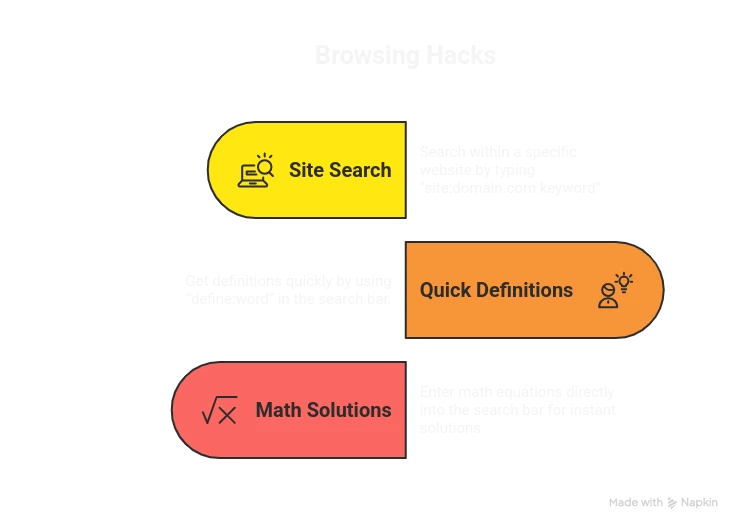
Not many people know that there are tricks—often called search google or type a url hacks—that can make browsing much more efficient. Some examples include:
- Typing “site:domain.com keyword” to search within a specific website.
- Using “define:word” to quickly get definitions.
- Entering math equations directly into the bar for instant solutions.
These little shortcuts help transform the simple “search or type” function into a powerful tool.
Common Misunderstandings
Some people ask about search google or type in a url as if it were a separate option. However, in actual sense, both are incorporated in a single bar. Likewise, all these terms such as search or type a google url or search url or type a google are simply other ways people refer to the same thing.
What then is search google or type a url? Just that the bar can serve as a search engine input and as a direct address entry. Nothing more than that.
Images and Media Search
In some cases, users look very specifically to know about images search google or type a URL. This means that it uses the same bar to search an image rather than a text search. Google can display visually similar results by typing a keyword such as sunset wallpaper or uploading a photo.
This is another functionality that is loaded into the same search bar.
Variations Across Browsers
Interestingly, it may be worded slightly differently by different browsers. E.g. you may find search google or type a url on certain versions or even search google or type a url – google search. The meaning does not change, although the wording does: the address bar may be used in either way.
This has given rise to some of the fun variations such as search or google type a URL- but all lead to the same simple functionality.
Pros and Cons of Searching Google
Pros | Cons |
Provides multiple options | Adds an extra step if you already know the URL |
Suggests related searches | May expose you to ads before the actual site |
Useful for research and exploration | Can sometimes lead to phishing or fake sites |
Pros and Cons of Typing a URL
Pros | Cons |
Direct and fast | Requires you to remember the exact spelling |
No ads or distractions | Mistyped URLs may lead to errors |
More secure when you know the website | Not useful when exploring new topics |
When to Use Each Option
- Use search when you’re exploring, researching, or unsure about the exact web address.
- Use type a URL when you know the site already and want to get there fast.
It’s not about one being better than the other—it’s about knowing when to use each method.
Google Search vs. Type a URL: A Side-by-Side Comparison
Aspect | Search Google | Type a URL |
Speed | Slower, since it first shows results before reaching the site. | Faster, goes directly to the exact website without extra steps. |
Ease of Use | Easy for beginners, especially when unsure of spelling or exact address. | Requires accurate spelling and knowledge of the website’s domain. |
Exploration | Great for discovering related sites, alternatives, or additional resources. | Limited to the specific site you already know. |
Security | May display Google ads, phishing sites, or misleading results before the actual website. | More secure when you know the correct website URL. |
Accuracy | Results vary based on keywords; sometimes unrelated pages may appear. | Highly accurate—takes you straight to the intended website. |
Convenience | Convenient when exploring, researching, or comparing multiple sites. | Convenient when you want a quick, distraction-free visit to one site. |
Customization | Can benefit from personalized search results based on browsing history. | Direct access, not influenced by Google’s algorithms or personalized suggestions. |
Best Use Case | When you’re exploring new information or unsure about the exact website address. | When you know the site already and want to reach it quickly and securely. |
Search or Type a URL – What’s Best for You?
That message of searching Google or typing a URL might seem small but it has a huge impact on our daily internet usage. The decision to either search or type directly will depend on what you want to browse. When you are searching, you are not sure of the exact address, or you are searching related options, then searching is best. Using a URL is quicker, more direct and safer when you know where you are going.
With modern browsers, both features are integrated in a single convenient bar that allows flexibility and convenience without any additional effort. You can make this feature even smarter by knowing what it means and how to personalize your browser and even employ a few hacks.
Ready to Browse Smarter?
Start using the right method—search when exploring, type when you know the site—and make your online journey faster, safer, and more efficient today!
FAQs About Search Google or Type a URL: Which is Best?
This browser prompt simply gives you two choices: type keywords to perform a Google search, or enter a website’s full address (URL) directly. Both actions are done from the same bar for convenience and efficiency.
Neither method is strictly better—it depends on your intent. Searching is ideal for exploring new information or when you’re unsure of spelling. Typing a URL is faster, more direct, and avoids ads or distractions.
Modern browsers combine search and address functions into a single bar. This integration saves time and effort by allowing users to type keywords for search or a direct web address, without switching between two separate fields.
You can’t completely remove it since it’s built into browsers. However, you can customize the experience by changing default search engines, adjusting homepage settings, or altering toolbar options, making browsing more aligned with your personal habits.
Yes, typing a URL directly is generally safer. It takes you straight to the official website without passing through ads or sponsored links. Searching may sometimes show unreliable results or phishing pages, which can create potential risks.
A mistyped URL can lead to error messages, redirections, or even fake websites mimicking real ones. Always double-check spelling when typing web addresses manually to ensure accuracy and avoid landing on unsafe or misleading pages accidentally.
Yes, search bars support handy shortcuts. For example, “site:domain.com keyword” finds results inside a site, “define:word” instantly provides definitions, and typing calculations solves math. These tricks make browsing faster, smarter, and more efficient every day.
Not always. Chrome may say “Search Google or type a URL,” while Safari or Edge use slightly different wording. Regardless of phrasing, the functionality remains identical—allowing users to search or enter website addresses seamlessly in one bar.